HitCue features
From script file to lines you can perform.
Upload your script, choose your role, then run the scene with TTS, recordings, or a Scene Partner that listens while you speak.


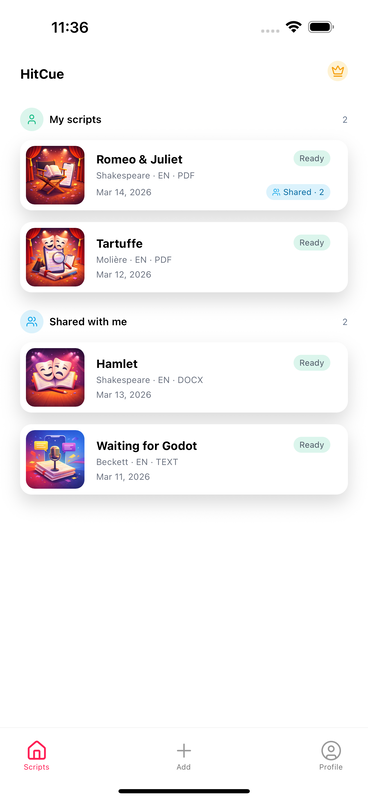
From file to rehearsal
One script. A clear path into rehearsal.
- 01
Upload your script
Import PDF, Word, or text and turn it into acts, scenes, characters, and dialogue.
- 02
Choose your role
Focus on your scenes, your lines, and the cues that lead into them.
- 03
Pick how to rehearse
Hear TTS or recorded voices, advance manually, or let Scene Partner listen while you speak.
- 04
Test your memory
Hide lines, reveal only the prompt you need, and repeat the exchange out loud.
- 05
Keep the work
Save recordings, notes, character choices, bookmarks, and progress with the script.
Core workflows
See what happens at each step.
Start with the file you already use, then add only the support you need for the scene you are working on.
Start with the script you already have
Upload the file once. HitCue turns it into a rehearsal workspace organized around the role you are learning.
Import PDF, Word, or text
Acts, scenes, characters, and dialogue become a structure you can navigate instead of one long document.
Choose the character you are learning
Focus on your scenes, lines, cues, and character work without losing the rest of the play.
Correct and update the script
Edit a line, resolve character aliases, check the original file, or import a revised version as the production changes.
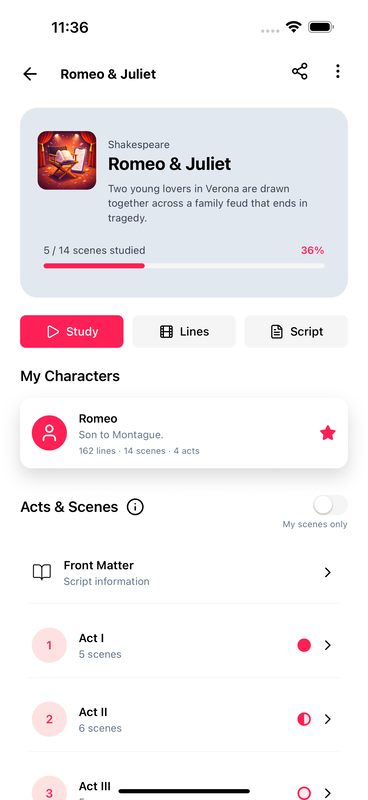
Run the scene with the partner you need
Rehearse alone while HitCue delivers the other roles. Choose the mode that matches the way you want to work today.
Let Scene Partner listen
With Pro, say your line out loud. HitCue follows your words and plays the next cue when you finish.
Keep the scene playing with your phone in your pocket
TTS and recorded dialogue continue when you lock the screen or use another app. Pause or move line by line from the system player or your headphones.
Control the space for your line
Use an automatic pause or advance manually. Pro can match the silence to the length of your recorded take.
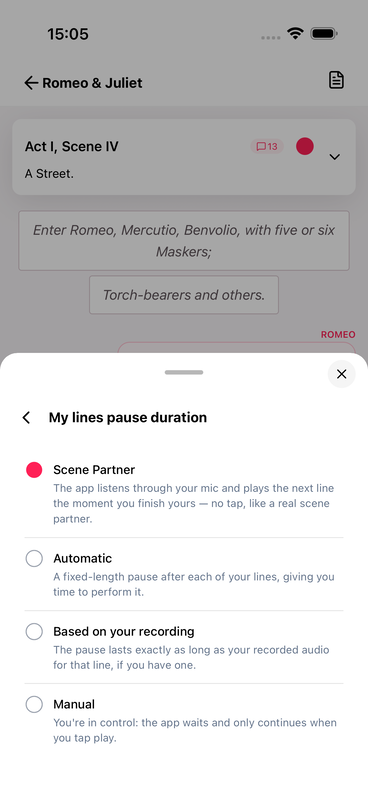
Turn reading into a real memory check
Remove support gradually, answer each cue out loud, and return to the exact line that still needs work.
Hide only as much as you are ready for
Use Blackout mode with the first word, initials, or the whole line hidden, then reveal a prompt when you need it.
Listen for the cue, not the page
Add a cue beep before your entrance and loop the scene until the exchange feels automatic.
Leave yourself a way back in
Bookmark your study position and use scene progress to see where the next session should begin.
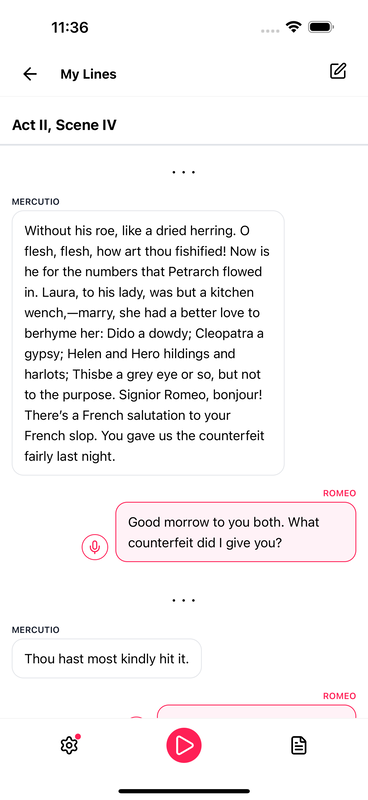
Record the voice. Keep the note with the line.
Capture useful rehearsal material where it belongs, so the next run starts from the choices you have already made.
Record dialogue for playback
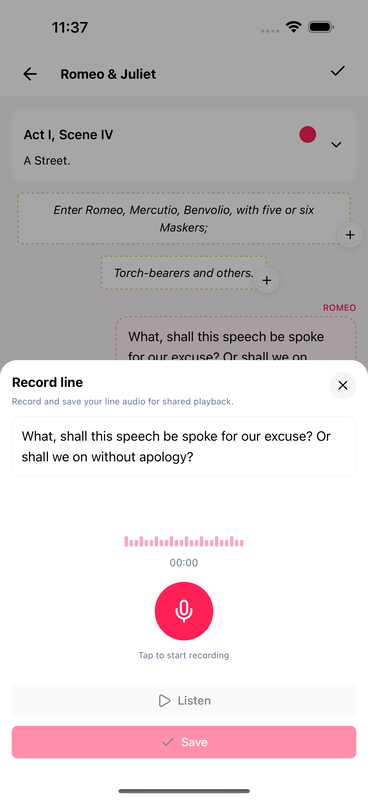
Record a line in a human voice and use it during solo rehearsal instead of synthetic speech.
Write notes in context
Attach a personal note to a line, scene, or character. Pro adds highlights, markers, pauses, and emotion.
Bring the cast into the same workspace
With Pro, share the script, scene notes, and cast recordings without separating them across chats and folders.
Around the rehearsal
The rest of the production stays connected too.
Build the character beside the text
Keep identity, relationships, objectives, emotional arc, and private notes connected to the role you are preparing.
Move through the play without losing your place
Jump between the full script, acts, scenes, dialogue, and only the scenes where your character appears.
Plan around the production
Keep rehearsals, shows, auditions, lessons, recurring events, reminders, and script study deadlines together.
Take rehearsal offline with Pro
Pro keeps supported study views available when rehearsal spaces have unreliable connection.
Free and Pro
Start with the core study tools. Add Pro when the workflow grows.
Script navigation, character focus, Blackout mode, recordings, notes, and calendar tools start free. Pro adds Scene Partner, background audio, deeper progress, offline study, richer annotations, and cast collaboration.
Start Your Next Rehearsal With HitCue
Study your lines, organize your script, and rehearse with your cast in one place. Download HitCue and be among the first actors to try it.