HitCue for theatre actors
Learn theatre lines alone. Arrive ready to rehearse.
Upload a PDF, Word, or text script. HitCue organizes the scenes, gives you the other cues, and helps you test your memory.
Free to download on iOS and Android.


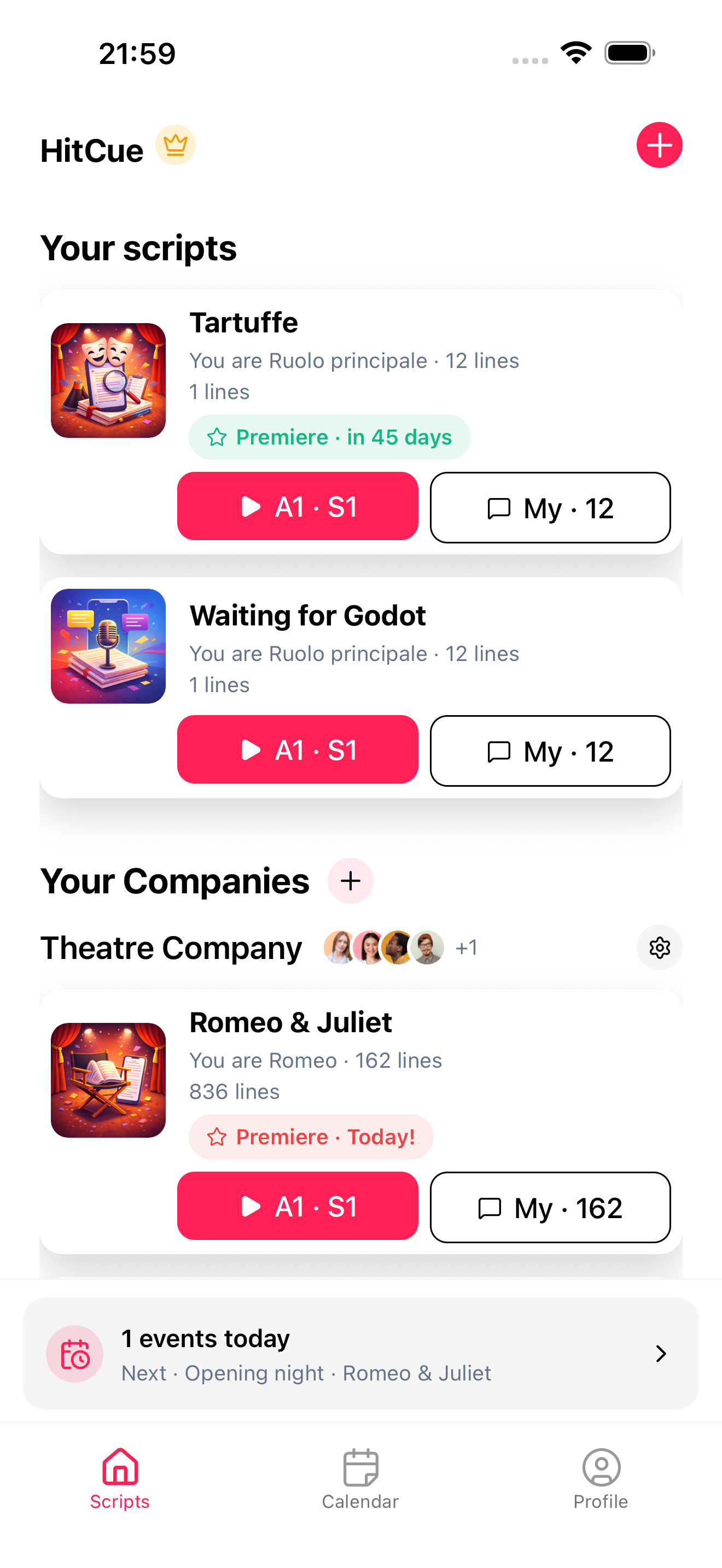
From file to rehearsal
Keep the work on the scene, not scattered across tools.
- 01
Upload your script
Import a PDF, Word, or text file and turn it into acts, scenes, characters, and dialogue you can navigate.
- 02
Choose your character
Keep your scenes, lines, cues, notes, and character work in view instead of searching through every page.
- 03
Rehearse with Scene Partner
Hear the other role, say your line out loud, and let HitCue continue as soon as you finish.
Features
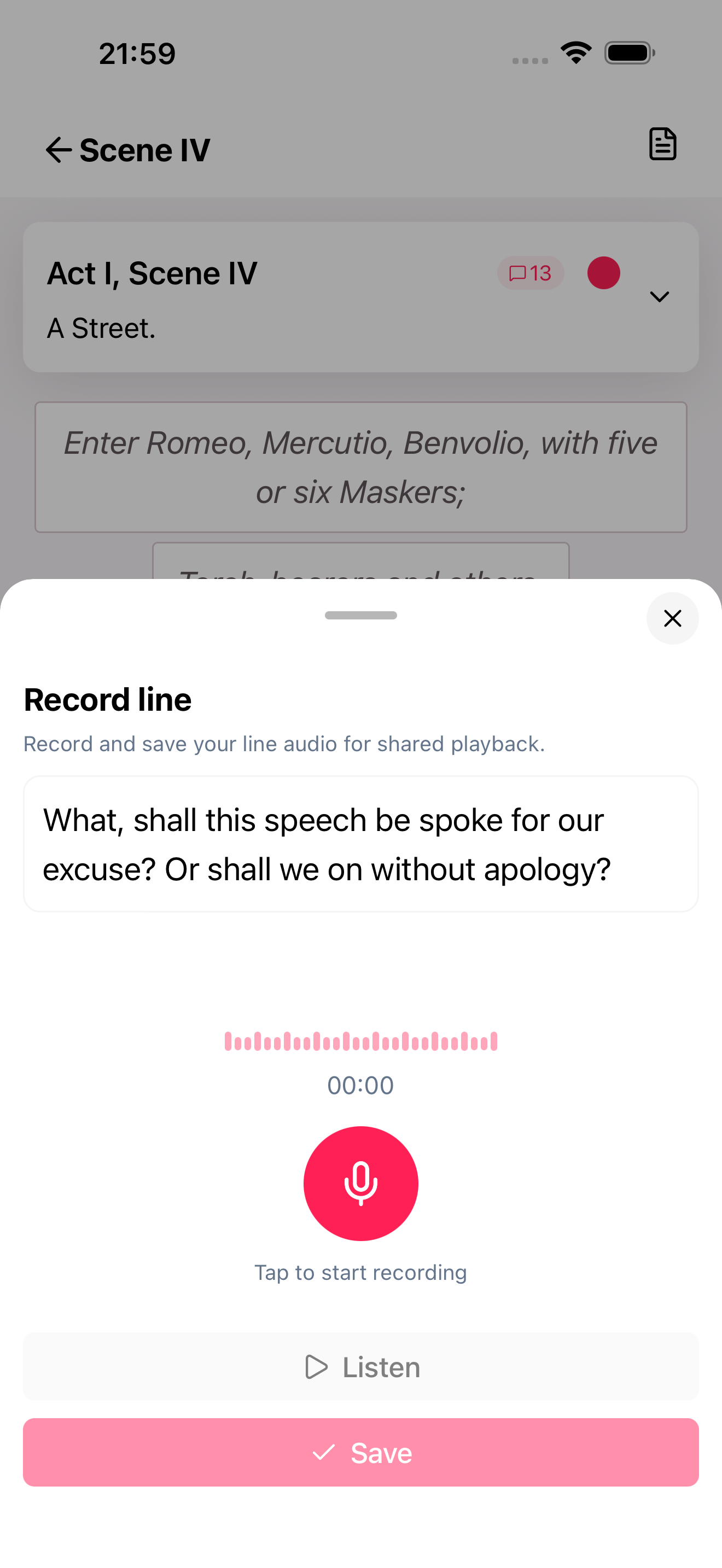
Rehearse every cue out loud
Hear the other role, say your own lines, and move from supported reading to a real memory check.
Scene Partner listens and continues
HitCue follows your words through the microphone and plays the next cue as soon as you finish.
Blackout mode at your level
Hide a line fully, leave its first word or initials visible, and reveal it only when you need a prompt.
Keep rehearsing with your phone in your pocket
With background audio, TTS or recorded dialogue keeps playing while the screen is locked, with line controls on the system player or your headphones.
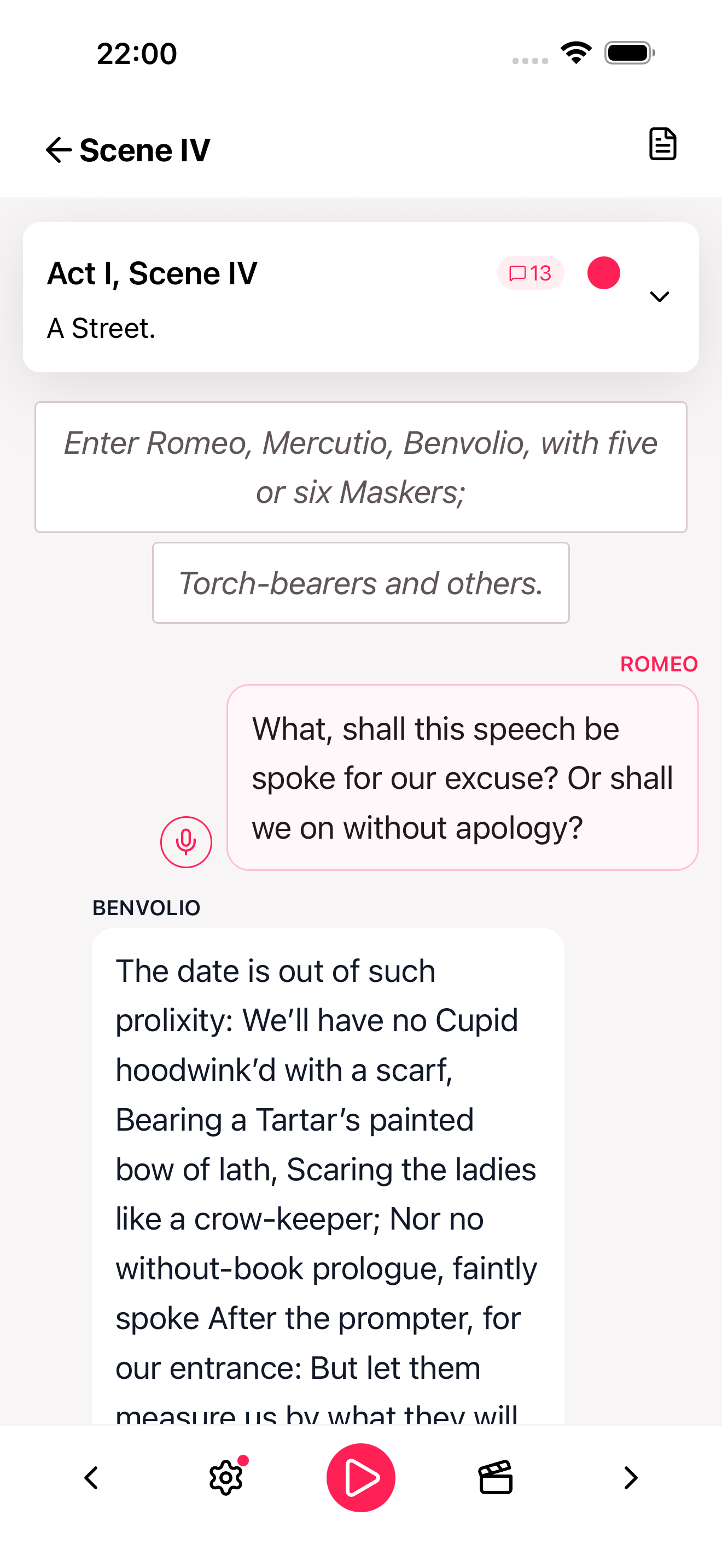
Keep a changing script ready to work
Turn a flat file into a rehearsal workspace you can navigate, annotate, correct, and update as the production moves.
Find the work fast
Move through acts, scenes, dialogue, or the full script. Filter to only your scenes and see line counts before you begin.
Build character work beside the text
Keep character details, relationships, objectives, emotional arc, and private notes where you prepare the scene.
Correct and update the text
Edit lines, resolve character aliases, and choose the right update mode when a new version of the script arrives.
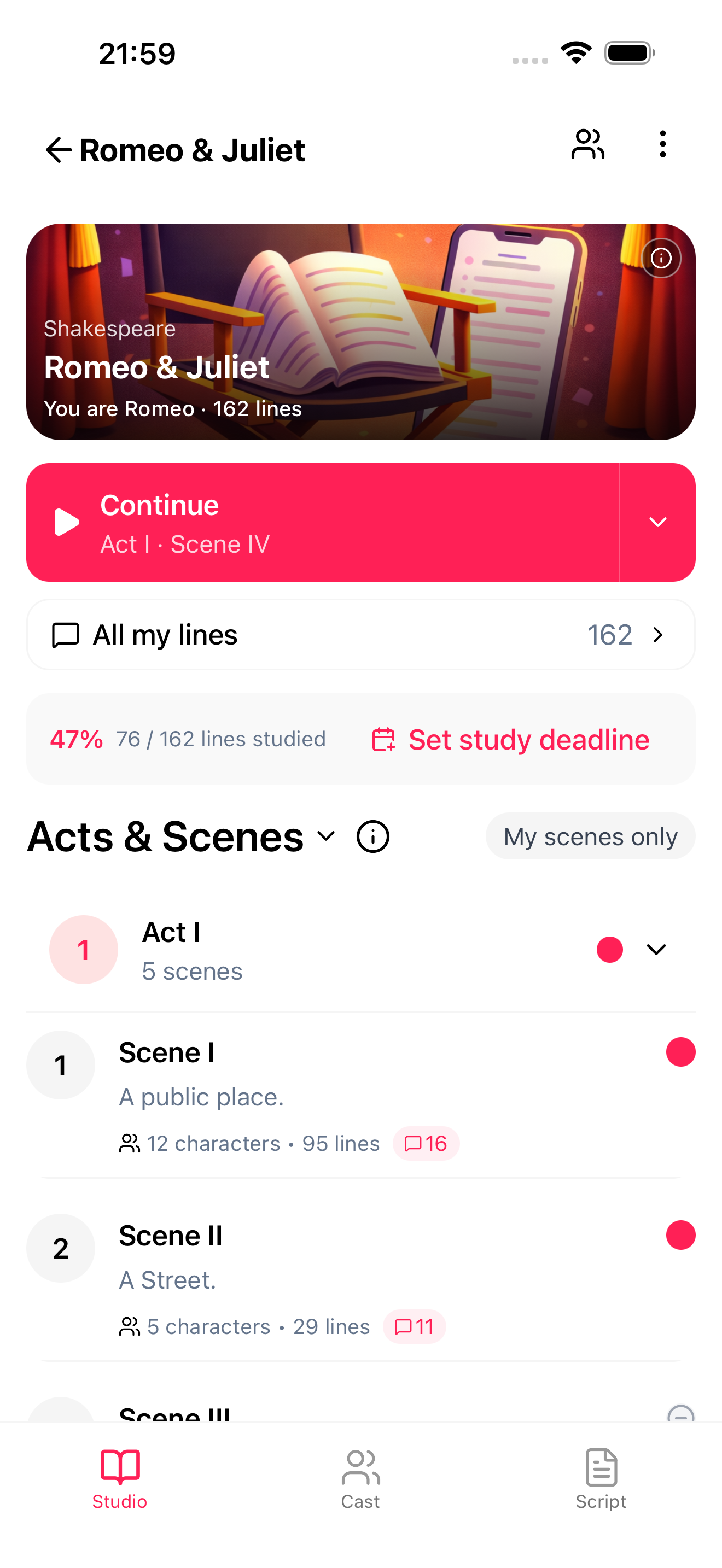
Keep cast material attached to the scene
A Company keeps the cast, its scripts, and each person's access together without turning HitCue into another group chat.
One Company for the production
Invite people by email and set Member, Editor, or Admin access so everyone opens the same scripts with the right tools.
Cast each character
Assign a role to one or more people, including understudies, so every actor can go straight to the part they need.
Shared notes and recordings with Pro
Keep rehearsal directions and human dialogue attached to the scene where the cast will need them again.
Pricing
Start free with script study, character focus, Blackout mode, recordings, and the theatre calendar. Pro adds Scene Partner, background audio, offline study, deeper drill controls, and cast collaboration.
Start studying scripts and scenes on your own.
Included
- 1 active script
- 3 script uploads per month
- 1 personal character
- Standard AI script analysis
- Scene navigation and character focus
- Blackout mode and reveal hidden lines
- TTS playback and dialogue recordings
- 2 dialogue styles
- Theatre calendar, recurring events, and reminders
Unlock full study flow and collaboration for active rehearsals.
Everything in Free, plus
- Scene Partner listens and continues
- Background audio and system media controls
- Unlimited active scripts
- 6 script uploads per month
- Unlimited personal characters
- Advanced AI script analysis
- Offline study access
- Shared notes
- Share and listen to cast recordings
- Scene-by-scene progress tracking
- 4 dialogue styles
- Loop and auto-advance scenes
- Personal line annotations (highlight, notes, markers, emotions)
All Pro features with annual billing for long-run productions.
Everything in Free, plus
- Scene Partner listens and continues
- Background audio and system media controls
- Unlimited active scripts
- 6 script uploads per month
- Unlimited personal characters
- Advanced AI script analysis
- Offline study access
- Shared notes
- Share and listen to cast recordings
- Scene-by-scene progress tracking
- 4 dialogue styles
- Loop and auto-advance scenes
- Personal line annotations (highlight, notes, markers, emotions)
Latest from the blog
New rehearsal guides for your next run

Drama School
Cold Reading Acting: How to Make Fast Choices Without Guessing
To make fast choices in cold reading, orient before you interpret. Before you say a word out loud, find three things: where you are and what just happened, who this person is to you and what you need from them, and the line where the scene turns.

Script Analysis
Chubbuck Technique: Turn Personal Stakes Into a Playable Objective
The Chubbuck technique uses your emotion as fuel for an objective, not as the goal of the scene. You work out what your character needs from the other person, find a real stake from your own life that makes that need urgent, then play to win it. Most of the 12 steps end in something you can write on the page or test on your partner, not a feeling you carry around. Below: the steps sorted by where they happen, a filled worksheet on an original scene, and four ways the method backfires.

Script Analysis
Monologue Analysis for Actors: Beats, Turns, and the Listener You Need
A monologue is a scene with one character speaking. Monologue analysis for actors isn't about finding the meaning of a speech. It's about building the half of the scene that isn't printed: who is being spoken to, what comes back from them, and why your character can't stop. When the speech is aimed at someone, treat each turn as a reaction to them, even when they say nothing. Name the listener first, mark the turns as responses, and the speech stops being a recitation. Here's the pass, filled in on an original monologue.
Start Your Next Rehearsal With HitCue
Study your lines, organize your script, and rehearse with your cast in one place. Download HitCue and be among the first actors to try it.